- General
-
 Ideas
Ideas

Jellyquity (Jelyfin) Theme for v3
Hey everyone!
I've been working on a custom theme for Ubooquity 3 for a while now, and I'm happy to finally share it with the community!
**Jellyquity** — A Jellyfin-inspired dark theme for Ubooquity 3
I'm a big fan of both Ubooquity and Jellyfin, so I thought — why not bring that sleek Jellyfin aesthetic to my comic/book server? That's how Jellyquity was born.
**What's included:**
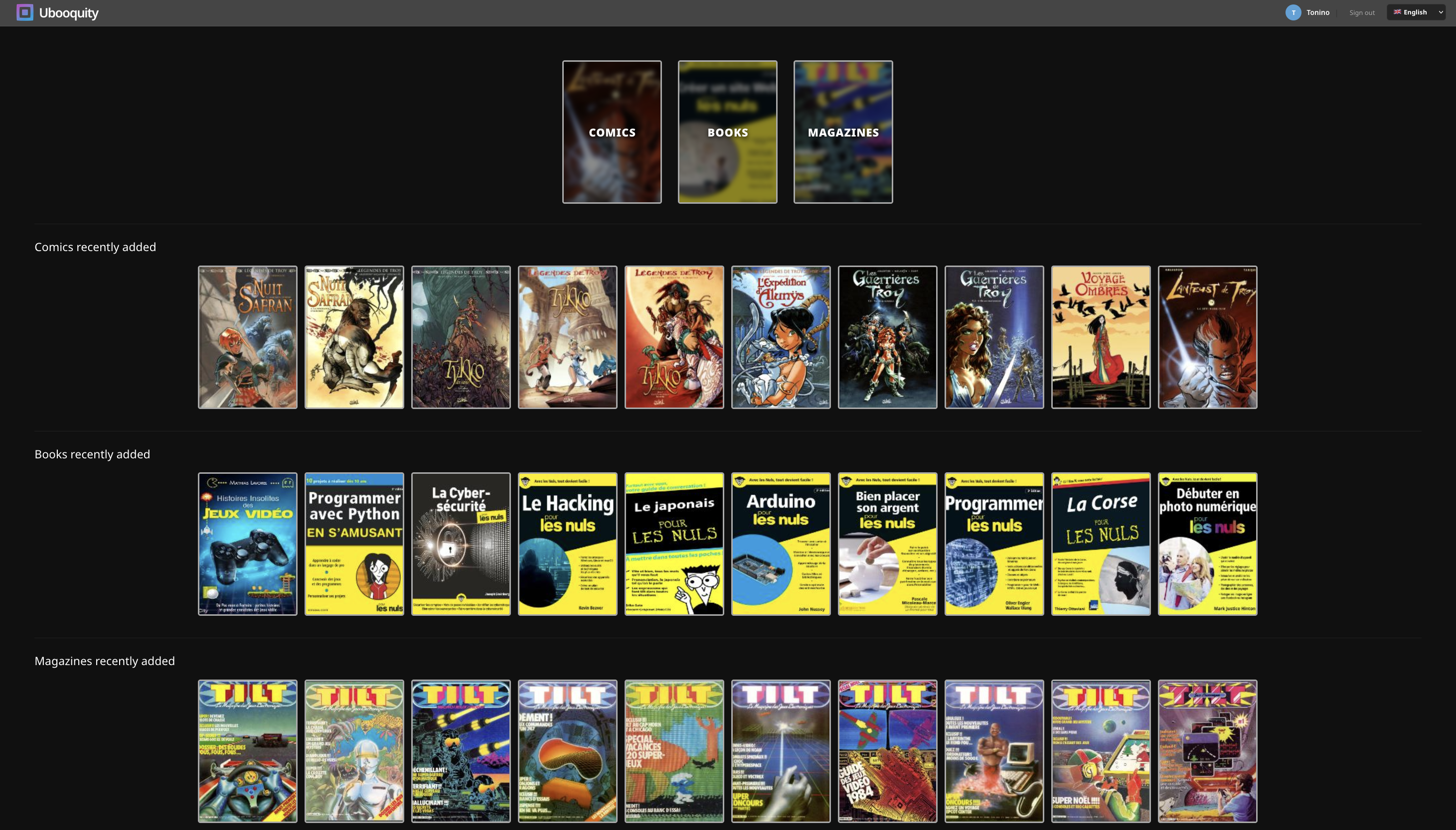
- Home page with category cards (blurred cover as background, randomly picked from the library)
- "Recently added" sections per category, loaded dynamically
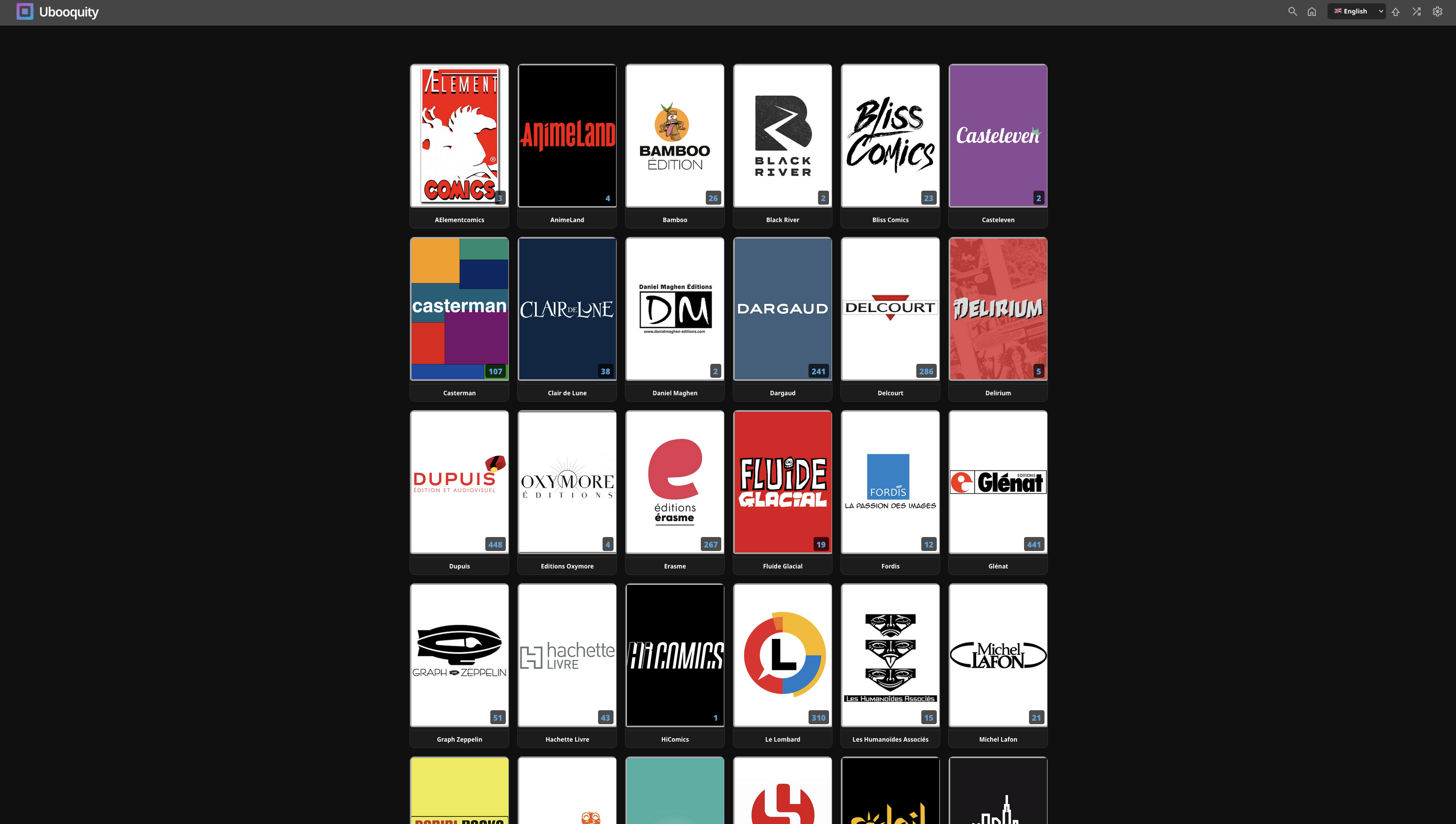
- Library grid (6 columns, centered)
- Book details popup with cover, metadata, progress bar and action icons
- Search popup in the header
- Styled settings popup (grouping, sorting)
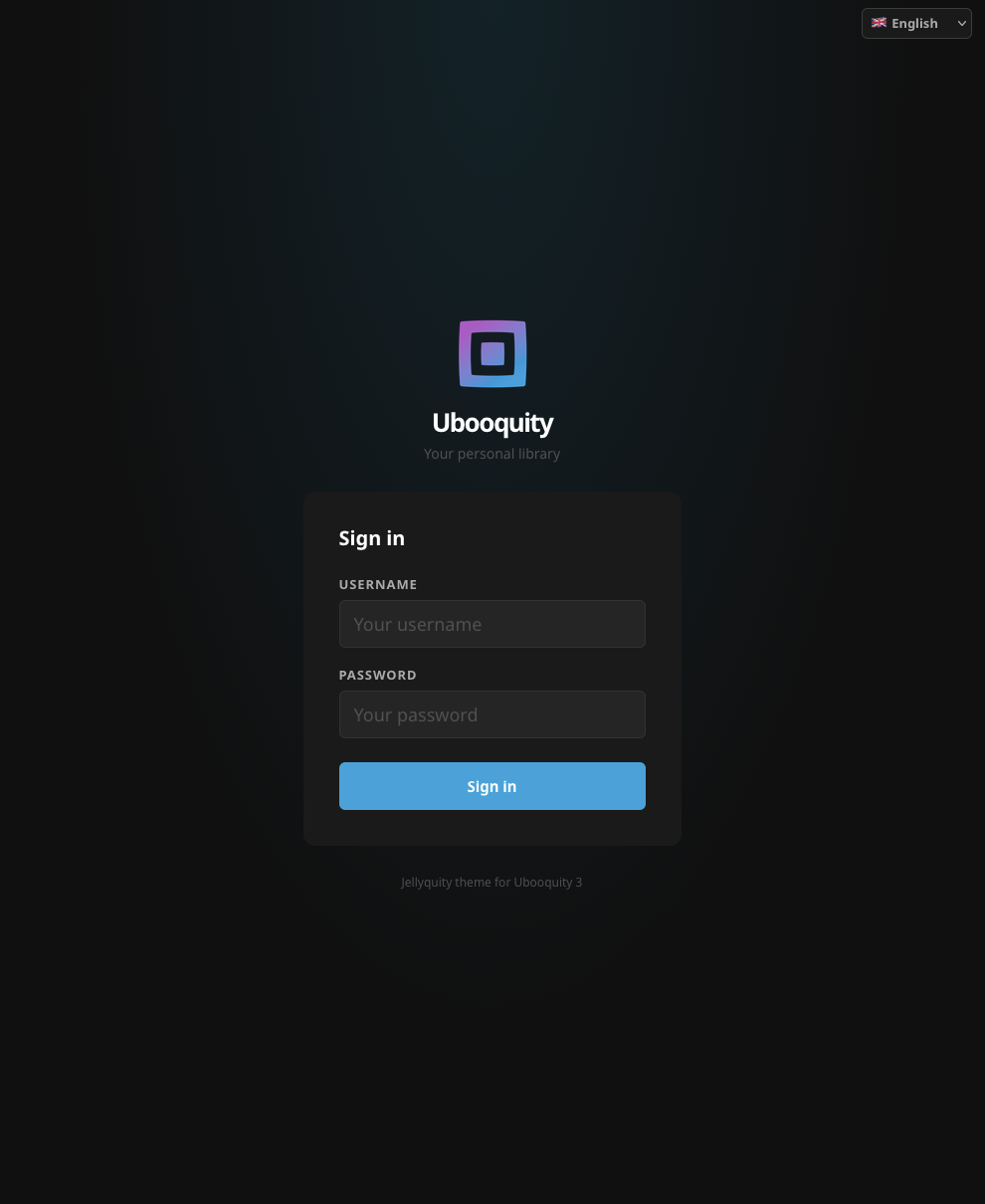
- Login page
- Multilingual UI — French, English and Italian built-in, easy to extend
- Folder covers: uses `folder.jpg` if present, otherwise picks a random cover from the folder
**Requirements:**
- Ubooquity 3.x
- "Enable folder metadata display" enabled in Advanced settings
- "Display title from metadata" enabled for proper titles
I built this with a lot of trial and error (Mustache context variables are not always what you'd expect! 😅), so feel free to report any bugs or suggest improvements.
Screenshots and download link below. Hope you enjoy it!
Login page
Home page
Collection page
Customer support service by UserEcho


Here is the link :
https://github.com/toninodigiacomo/jellyquity-theme/archive/refs/tags/1.1.zip
Hi Toni,
The buttons on the popup menu when viewing a book are not showing up. They are there and they are functioning (I could find them when hovering over them bc the cursor turns into a pointer), but they're not visible. I thought, perhaps, I needed to hard-refresh my browser. But same result. Tried using latest Chrome and Edge browsers...
Other than that, functions well, looks great, and I like the flow of it.
Hi Gary,
I'm sorry,I don't understand what's your issue. Could you please post a picture?
On my side everything looks good, unless I miss something.
Are you talking about those buttons ?
Yup.
This is what I'm seeing:
Upon further investigation, console is reporting errors:
comics?latest=true:262 [Intervention] Images loaded lazily and replaced with placeholders. Load events are deferred. See https://go.microsoft.com/fwlink/?linkid=2048113
icon-unread.svg:1 Failed to load resource: the server responded with a status of 500 (Server Error)
icon-tag.svg:1 Failed to load resource: the server responded with a status of 500 (Server Error)
icon-read.svg:1 Failed to load resource: the server responded with a status of 500 (Server Error)
icon-download.svg:1 Failed to load resource: the server responded with a status of 500 (Server Error)
icon-language.svg:1 Failed to load resource: the server responded with a status of 500 (Server Error)
icon-finished.svg:1 Failed to load resource: the server responded with a status of 500 (Server Error)
That'odd. Images are local, I don't understand why the server is not able to load them.
I have created a local instance of Ubooquity and I am not able to reproduce the problem. Logs are OK on both my local and remote servers.
Maybe I have to convert them to *.png.
Could you please tell me if you can see the files in the theme folder ?
Here is what you should have in the folder jellyquity-theme/common :
If the error persists, could you please try one thing ?
Edit the file
library.csslocated in the theme folder /library and replace:/theme/common/with:
/../common/(should be lines 130, 146 and 162) it might solve the issue.
Tracked the critters down for ya. :)
page-library. Lines 15-18 are missing the {{rootPath}} in the url. It should be:
#details_download { background-image: url('{{rootPath}}/theme/common/icon-download.svg'); }
#details_read { background-image: url('{{rootPath}}/theme/common/icon-read.svg'); }
#details_mark_unread { background-image: url('{{rootPath}}/theme/common/icon-unread.svg'); }
#details_mark_finished { background-image: url('{{rootPath}}/theme/common/icon-finished.svg'); }
The buttons are showing up now.
Also,
You'll want to update library.css:
#details_tags::before {
content: url('{{rootPath}}/theme/common/icon-tag.svg');
}
#details_language::before {
content: url('{{rootPath}}/theme/common/icon-language,svg');
}
#details_file::before {
conent: url('{{rootPath}}/theme/common/icon-file.svg');
}
.. and just to make things more fun, the console logs are reporting this on the home page:
ubooquity/:364 GET http://192.168.254.60:2202/ubooquity/theme/common/books.png 404 (Not Found)
ubooquity/:378 GET http://192.168.254.60:2202/ubooquity/theme/common/magazines.png 404 (Not Found)
ubooquity/:350 GET http://192.168.254.60:2202/ubooquity/theme/common/comics.png 404 (Not Found)
ubooquity/:1 [Intervention] Images loaded lazily and replaced with placeholders. Load events are deferred. See https://go.microsoft.com/fwlink/?linkid=2048113
I wouldn't have even known that these three files are missing from the theme's archive if I hadn't looked at the console logs to figure out what was going on with the buttons on the details popup menu - but they are.
Otherwise, I think your theme looks great and functions well!
Thanks,
Gary
Hi Gary,
Thank you for your help on bugs fixing :-)
Here is my latest release :
https://github.com/toninodigiacomo/jellyquity-theme/releases/tag/1.1.2
For the "Errors" from the home page, at first, I planned to include images for the categories (png files), but I changed my mind—a random blurred cover works just fine, so I removed that option on this latest release.
FYI: Your latest release is still missing the {{rootPath}} to your icons in the page-library.html but the home screen errors have disappeared. :)
Thank you for the bugs tracking :-)
Hope this one is bug free :
https://github.com/toninodigiacomo/jellyquity-theme/releases/tag/1.1.7
No problem. I'm retired and I get a little bored sometimes. So, doing something like this keeps me busy and out of trouble. ;)
I'll check the new version out later this evening.
Peace out \/
G