Your comments

# Duplicate entries in list pages with multi-user bookmarks
Observed in Ubooquity 3.1.0.
## Summary
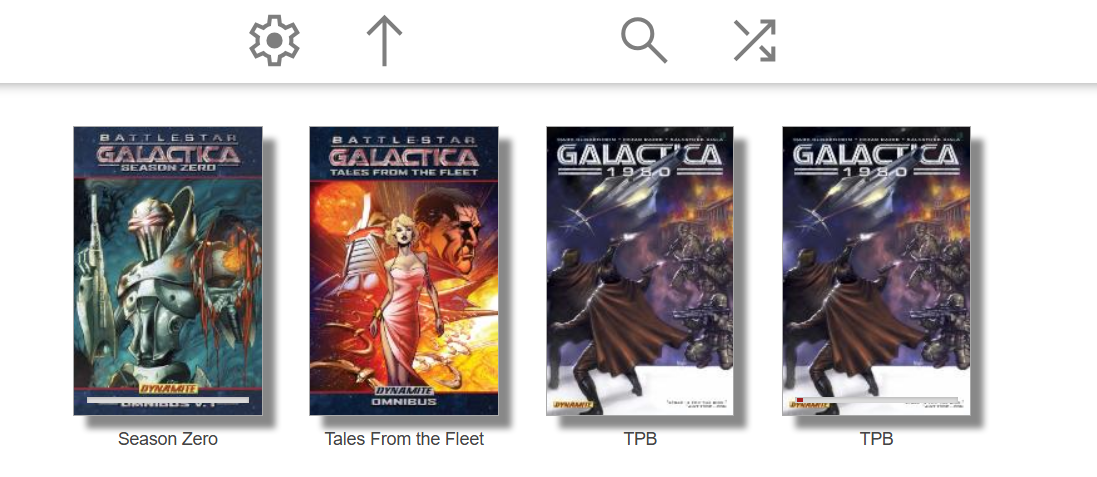
List pages can show the same document multiple times when more than one user has bookmark/read-status data for that document.
This does not appear to be file duplication or `opus` table corruption. It appears to be caused by how bookmark rows are joined into list queries.
## Likely cause
- `bookmark` is keyed by `(documentid, username)`
- list queries join bookmarks on `documentid` only
- a document with bookmark rows for multiple users can therefore produce multiple result rows
In other words, the join behaves like one row per bookmark record instead of one row per document.
## How to reproduce
1. Set up at least two users.
2. Make sure both users interact with the same book/comic so each gets bookmark or reading-status data for that document.
3. Open a list page that includes bookmark data, such as `recently added`.
4. Find a document that has bookmark rows for both users.
5. The same document can appear multiple times in the list.
## Expected result
Each document should appear once in list pages.
## Actual result
A single document can appear multiple times when it has bookmark/read-status rows for multiple users.
## Notes
The simplest fix is likely to make bookmark joins user-scoped in list queries, or otherwise collapse bookmark rows to one row per document before joining.
Customer support service by UserEcho

v1.0.2 Released - Real progress bars, throttling, finished-state filter
Visual
- Continue Reading and library grid cards now show real progress percentages, sourced from `/bookdetails/{id}` instead of the unreliable library-grid `{{progress}}` template variable.
- Tracked cards show a muted loading state instead of a fake 50% bar until the real value arrives.
- New CSS rules for reading state: `status_unread` (bar hidden), `status_inprogress` (blue), `status_finished` (green) finished books are visually distinct at a glance.
- Library grid bars refresh in place after returning from the reader; no full page reload required.
Performance
- Continue Reading crawler throttled to a 30-second minimum interval. Previously it re-ran on every tab focus, hammering the server when flipping between tabs.
- Library grid progress refresh now has a 5-second cooldown and a 6-worker concurrency cap so a 48-item page doesn't fan out.
- Removed `cache: 'no-store'` from library HTML fetches so the browser can serve 304s on reload. Bookmark and details fetches that need to be fresh still bypass cache.
Correctness
- **Finished books drop out of Continue Reading. Previously, a book the user marked finished whose end-of-content bookmark string was non-zero would stay in the row indefinitely. A secondary `statusClass` check via `/bookdetails/{id}` now removes them.
Code quality
- Tracked card HTML built via DOM API instead of string concatenation; item IDs sanitized to digits before going into attributes.
- Replaced the magic-number sort sentinel (`progress: 999`) with an explicit `pinned: true` flag.
Preserved from v1.0.1
- Continue Reading membership remains scoped to the authenticated user via `/user-api/bookmark?docId=...` (the only confirmed user-scoped Ubooquity endpoint).
- Per-user `localStorage` cache keys.
Known limitation
Library grid bar percentages go through `/bookdetails/{id}`, which reads from Ubooquity's unscoped `OpusEntry` bookmark join. The displayed value on a library grid card can occasionally reflect another user's reading position. Continue Reading membership is correct; only the cosmetic bar fill on the library grid is affected. The real fix requires Ubooquity scoping the join server-side ([feature request filed upstream](https://userecho.com/)).
Install / upgrade
1. Download the source archive from this release (or pull `main`).
2. Copy the `plex-v3` folder into your Ubooquity `themes` directory, replacing the previous version.
3. Restart Ubooquity.
4. Hard-refresh the browser.