Your comments

No problem. I'm retired and I get a little bored sometimes. So, doing something like this keeps me busy and out of trouble. ;)
I'll check the new version out later this evening.
Peace out \/
G
New update: Renegade Reader v4.r2
Additions:
- New banner background images displayed exclusively during searches.
- Text in banner is now completely customizable on a per category/per page basis throughout the category libraries (including the audio book module).
Changes:
- Color schemes have been moved to their own file so that they're easy to find and customize to your own preferences. A default color-schemes.css file is included in the /default folder. Copy it to the theme's root folder (/RR4) or the theme will not be able to find it and none of the elements will have styles. This prevents future updates from overwriting your customizations while allowing me to still distribute default color scheme settings in the /default folder. :)
Fixes:
- Theme was not obeying Ubooquity's thumb nail heights/widths
- https connection issue related to old code that appeared while story arcs/series pages were constructed
- JS removed from maxFoldersToLookForHeaders and maxFoldersToLookForTitles in relation to audio books
- minor .css fixes/additions
See included revision.txt and/or Renegade Reader v4.0 documentation.
Enjoy,
G
FYI: Your latest release is still missing the {{rootPath}} to your icons in the page-library.html but the home screen errors have disappeared. :)
Some useful information if you're running Ubooquity on an ASUSTOR NAS and attempting to use the reverse proxy GUI to enable HTTPS:
While the GUI interface will handle most of Ubooquity's functions, the EPUB reader seems to ignore your reverse proxy's settings and prefers to use your local network address over your domain name.
The good news is that there is a way around this:
ASUSTOR uses nginx to handle the reverse proxy. So, all you have to do is find the nginx.conf that controls the reverse proxy settings (usually located in usr/builtin/etc/nginx_reverse_proxy).
It should look something like this (minus the things I added):
It uses port 443 for HTTPS. If you use a differ port, change it.
#user nobody;
worker_processes 4;
pid /var/run/nginx_reverse_proxy.pid;
events {
worker_connections 1024;
}
http {
map $http_upgrade $connection_upgrade {
default Upgrade;
'' close;
}
sendfile on;
tcp_nopush on;
server_tokens off;
access_log off;
error_log off;
client_max_body_size 0;
# IMPORTANT: disable inconsistent auto-rewrite behavior
proxy_redirect off;
# --------------------------------------------------------------------------
proxy_http_version 1.1;
proxy_set_header Upgrade $http_upgrade;
proxy_set_header Connection $connection_upgrade;
proxy_set_header X-Real-IP $remote_addr;
proxy_set_header X-Forwarded-For $proxy_add_x_forwarded_for;
# CRITICAL: force consistent external identity (prevents EPUB origin flip)
proxy_set_header Host $host;
proxy_set_header X-Forwarded-Host $host;
proxy_set_header X-Forwarded-Proto https;
proxy_set_header X-Forwarded-Port 443;
# ----------------------------------------------------------------------------------------------
proxy_buffering off;
proxy_read_timeout 600s;
# virtual host server
include sites-enabled/*.conf;
}
Hope this helps!
G
Tracked the critters down for ya. :)
page-library. Lines 15-18 are missing the {{rootPath}} in the url. It should be:
#details_download { background-image: url('{{rootPath}}/theme/common/icon-download.svg'); }
#details_read { background-image: url('{{rootPath}}/theme/common/icon-read.svg'); }
#details_mark_unread { background-image: url('{{rootPath}}/theme/common/icon-unread.svg'); }
#details_mark_finished { background-image: url('{{rootPath}}/theme/common/icon-finished.svg'); }
The buttons are showing up now.
Also,
You'll want to update library.css:
#details_tags::before {
content: url('{{rootPath}}/theme/common/icon-tag.svg');
}
#details_language::before {
content: url('{{rootPath}}/theme/common/icon-language,svg');
}
#details_file::before {
conent: url('{{rootPath}}/theme/common/icon-file.svg');
}
.. and just to make things more fun, the console logs are reporting this on the home page:
ubooquity/:364 GET http://192.168.254.60:2202/ubooquity/theme/common/books.png 404 (Not Found)
ubooquity/:378 GET http://192.168.254.60:2202/ubooquity/theme/common/magazines.png 404 (Not Found)
ubooquity/:350 GET http://192.168.254.60:2202/ubooquity/theme/common/comics.png 404 (Not Found)
ubooquity/:1 [Intervention] Images loaded lazily and replaced with placeholders. Load events are deferred. See https://go.microsoft.com/fwlink/?linkid=2048113
I wouldn't have even known that these three files are missing from the theme's archive if I hadn't looked at the console logs to figure out what was going on with the buttons on the details popup menu - but they are.
Otherwise, I think your theme looks great and functions well!
Thanks,
Gary
Yup.
This is what I'm seeing:
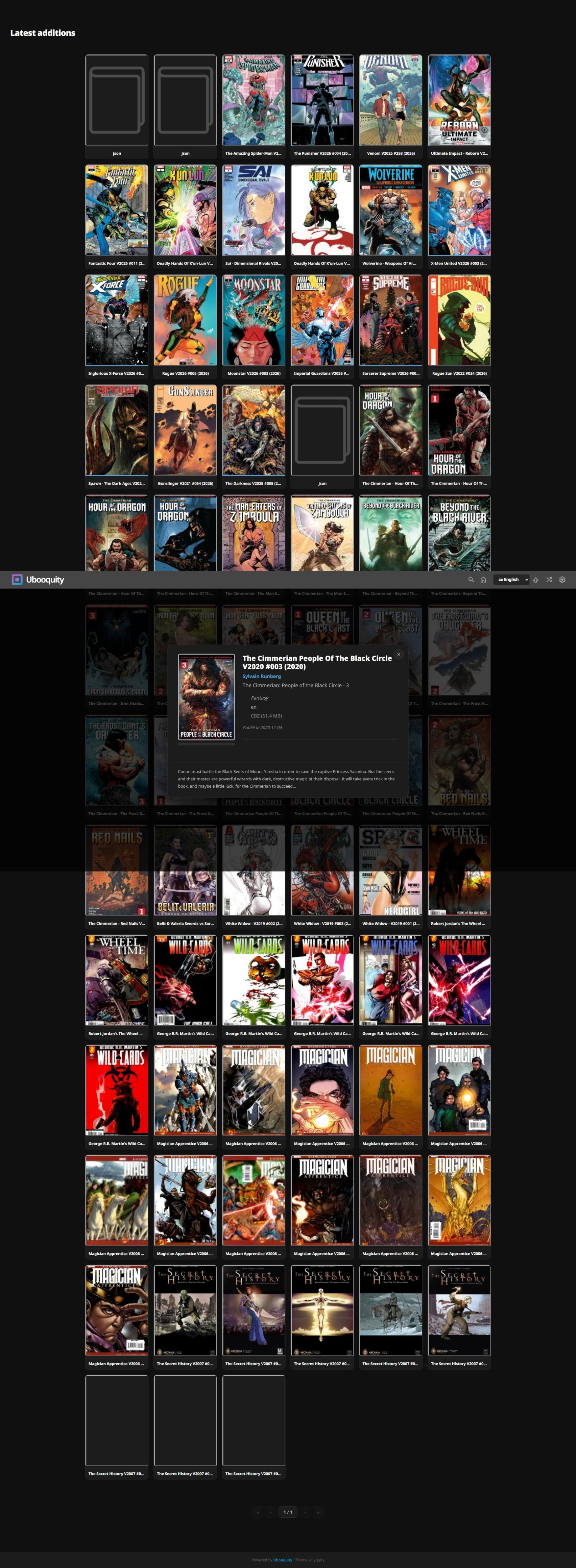
Upon further investigation, console is reporting errors:
comics?latest=true:262 [Intervention] Images loaded lazily and replaced with placeholders. Load events are deferred. See https://go.microsoft.com/fwlink/?linkid=2048113
icon-unread.svg:1 Failed to load resource: the server responded with a status of 500 (Server Error)
icon-tag.svg:1 Failed to load resource: the server responded with a status of 500 (Server Error)
icon-read.svg:1 Failed to load resource: the server responded with a status of 500 (Server Error)
icon-download.svg:1 Failed to load resource: the server responded with a status of 500 (Server Error)
icon-language.svg:1 Failed to load resource: the server responded with a status of 500 (Server Error)
icon-finished.svg:1 Failed to load resource: the server responded with a status of 500 (Server Error)
Hi Toni,
The buttons on the popup menu when viewing a book are not showing up. They are there and they are functioning (I could find them when hovering over them bc the cursor turns into a pointer), but they're not visible. I thought, perhaps, I needed to hard-refresh my browser. But same result. Tried using latest Chrome and Edge browsers...
Other than that, functions well, looks great, and I like the flow of it.
New release Renegade Reader v4.0
- Home page navigation bar is now available on all pages.
- Moved image and text header displays that were previously shown under the banner to the banner, itself.
- Audio books module will now look for header.jpg to display as banner background like the rest of the libraries.
- Added a "refresh cache" button to the root audio book page to scan the audio book module for new content.
- Fixed display and page reload issues with the new content sliders on the home page.
- Fixed some display issues that made previous JS adjustment redundant.
- Removed the dual home page option.
- Removed several theme settings that have become redundant with the latest update.
IMPORTANT!
To prevent overwriting your theme settings every time an update comes out, I have taken the theme settings out of the themescript.js file and put them in a separate file named "settings.js" that should reside in the theme's RR4 folder.
I have included a default folder with a default "settings.js" file in it.
If this is a new install of the theme, you'll want to copy the settings.js file from the default folder into the theme's RR4 folder and edit it as necessary.
If you are updating from an older version of the theme, BEFORE YOU UPDATE transfer your settings in the themescript.js file to the new "settings.js" file in the default folder and copy it to the theme's RR4 folder.
Once the settings.js file resides in the theme's RR4 folder, future updates will no longer overwrite your settings in favor of the defaults.
---------------------
A few images to highlight pertinent changes:
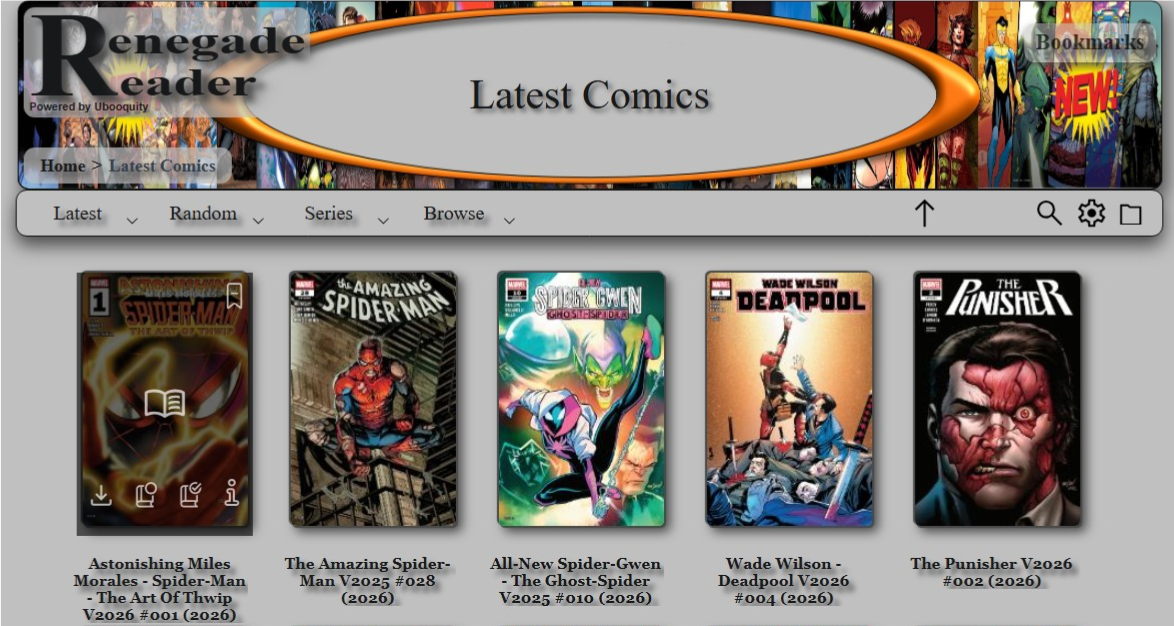
- Buttons are now displayed when hovering over content rather than the old popup menu
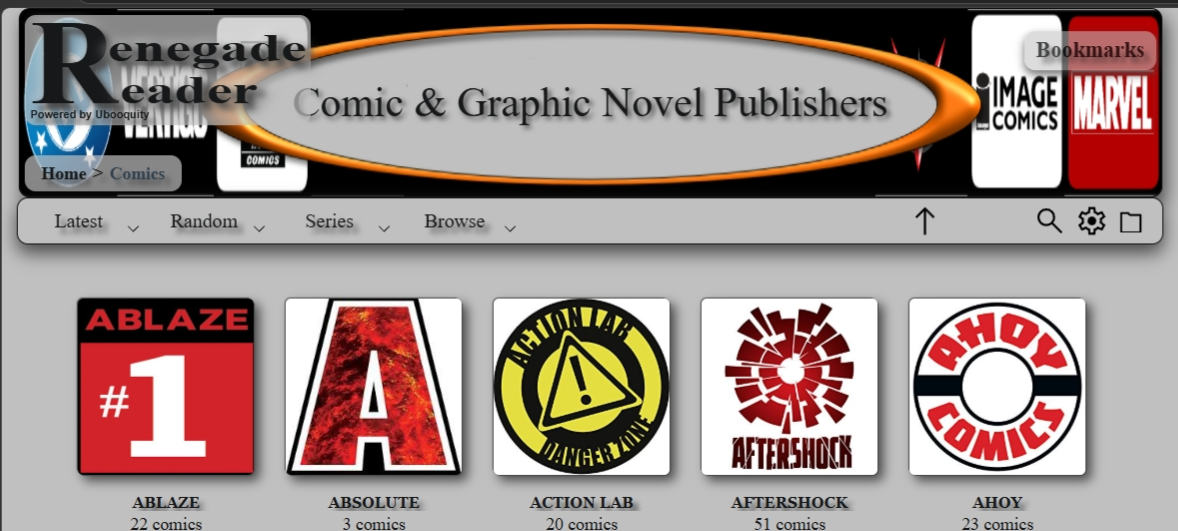
- Left side navigation remains constant on every page.
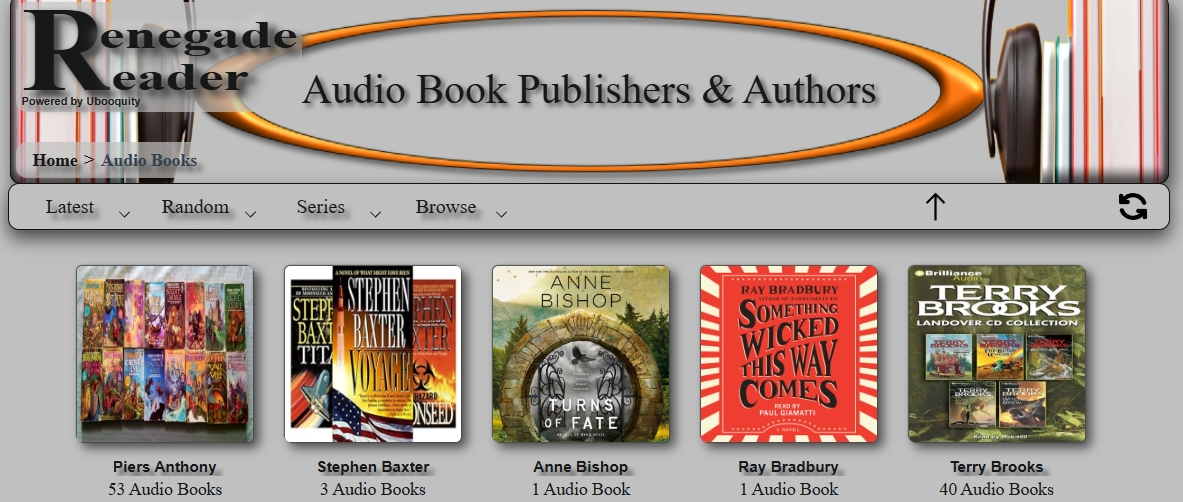
- Banner backgrounds and text change with the page.
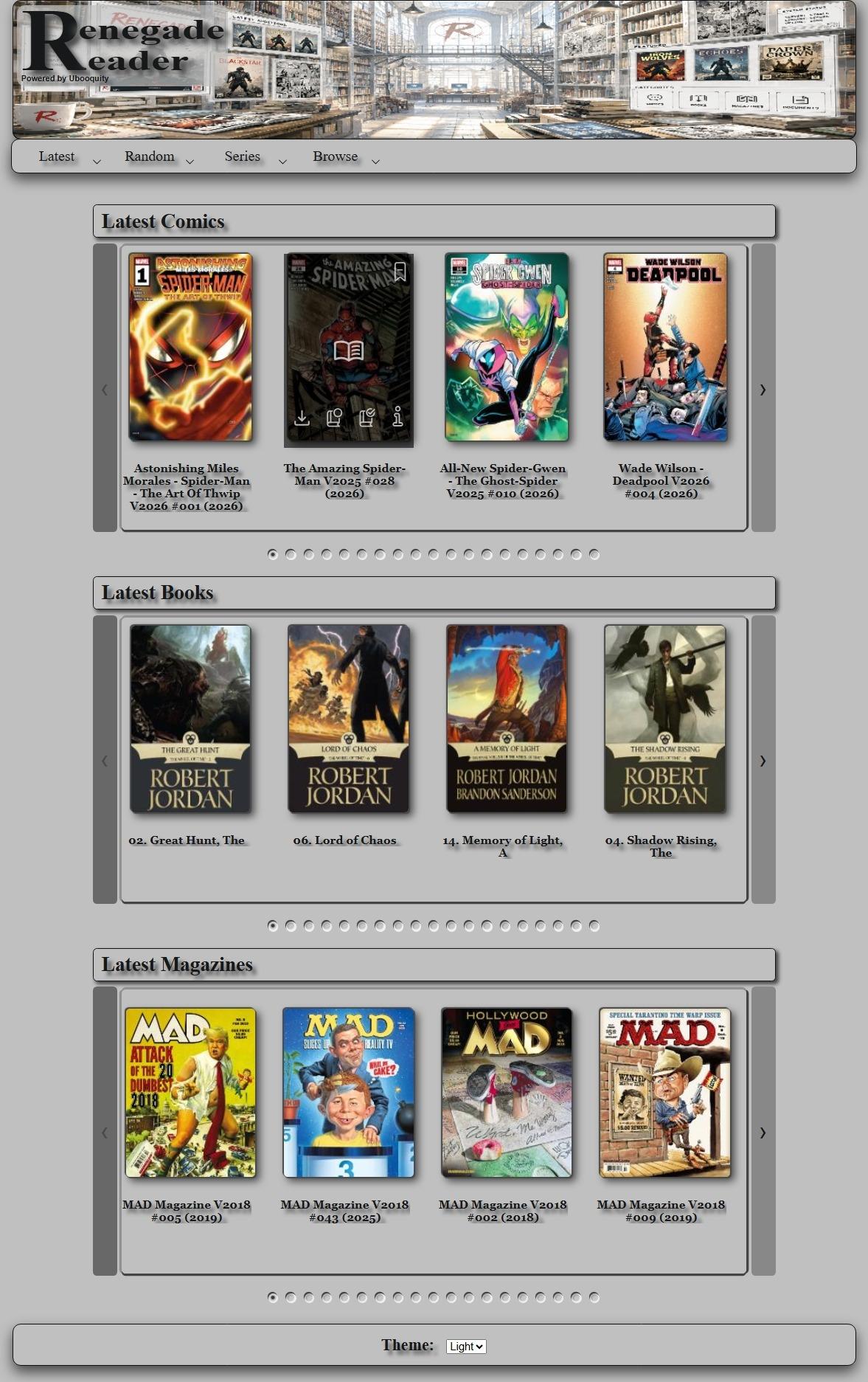
Enjoy!
G
Ack! I thought I had addressed all of the thumb nail hovers. But apparently, the changes I made caused functionality issues with the story arc/series pages that I didn't catch prior to the last release. Those are now fixed and you can actually read books from the story arcs/series pages again.
Latest Renegade Reader version
Customer support service by UserEcho




* v4.r4
This release contains fixes and changes to the audio book player.
Fixes:
- Apparently, at some point, an unfinished version of the audio book player's code infiltrated the last release as well as my backups - causing most of the audiobook player navigation buttons to fail. So, I wound up having to rewrite several parts of the code that were missing. Apologies.
- Audio book player automatically loads audio book on page load in lieu of waiting for a click on the play/pause button.
Changes:
- Several cosmetic changes to the audio book player.
- Abandoned support for older multi-file audio books separated by chapter. Audio books must be contained in a single file for the following reasons:
1. The Audiobook JSON Creator utility will continue to support both formats.
2. There are quite a few free (or inexpensive) utilities that merge multiple audio file containers into single audio file containers.
3. The audio book player code was getting larger than the rest of the theme.
4. Loading a single audio file and a JSON formatted text file is much quicker than loading multiple audio files twice (once to calculate global timestamps and again to load the current chapter file) and a JSON formatted text file.